Grimoires Era Controls: Every Keybind and Skill Explained
Learn the Grimoires Era controls for PC, from dashing with Q and blocking with F to grimoire skills on Z, X, C and B, plus flight, menus and key settings.
Jump to
The Core Keybinds You Need
The bandits outside the starting convent hit harder than you'd expect. If you're still hunting for the block key when the Bandit Chief winds up, you'll spend more time respawning than leveling. Learning the Grimoires Era controls early makes a big difference in this Roblox action RPG. Movement, defense and your grimoire's skill bar all run through a handful of keys, and the in-game Info section only lists a few of them.
Here's the full keyboard layout for movement and utility:
| Action | Key |
|---|---|
| Jump | Space |
| Run | Ctrl |
| Dash | Q |
| Block | F |
| Aim mode (toggle) | Shift |
| Open the map | L |
| Character panel (stats, grimoire skill upgrades) | M |
A few notes on these:
- Dash (Q) is fast and covers a lot of ground. It's infinite, with no energy bar to drain, so you can chain dashes freely. The distance takes some getting used to, so practice in the open fields before you dash into a bandit camp.
- Block (F) isn't a full shield. Bosses can still kill you while you're fully blocking, so don't hold it forever.
- Shift switches the camera into aim mode, which helps you line up projectiles. Press it again to go back to the normal view, which you'll need before you can click through settings menus comfortably.
Grimoire Skill Keys
Your magic lives on the bottom row of the keyboard. The wind grimoire maps its abilities to Z, X, C and B, plus an ultimate, while anti-magic also uses an E move. Not every skill is available at the start. You unlock them by raising mastery, which you earn by completing missions and defeating NPCs. With anti-magic, for example, the second move unlocks early and the next one arrives at mastery 50.
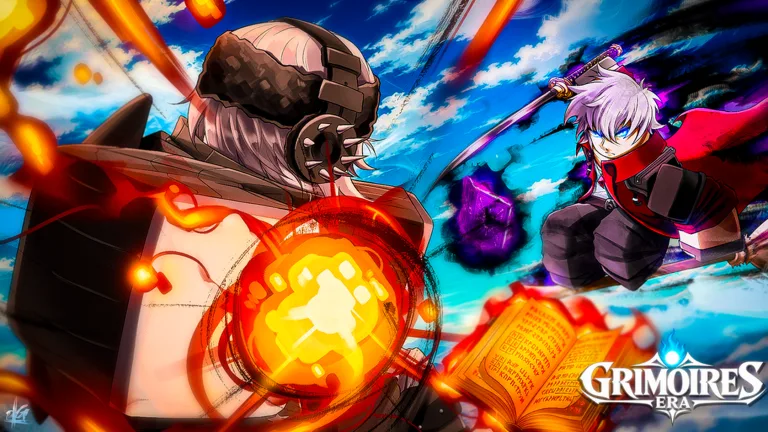 Image: Roblox / Grimoires Era
The wind grimoire shows the layout well:
| Key | Wind grimoire ability |
|---|---|
| Z | Launches you forward in a dash |
| X | Fires a high-damage projectile |
| C | Summons spheres in front of you; each click throws one at the target |
| B | A heavy attack that takes off a big chunk of health |
| Ultimate | A large tornado with wide area damage |
Some skills have their own input quirks:
- Hold-to-cast skills: anti-magic's third skill can be held down for a long strike. Experiment with holding each new skill once you unlock it, because the game doesn't always tell you.
- Click-follow-ups: wind's C skill summons spheres, and each click launches one at the enemy.
- Awakening: anti-magic gets an E move and an awakening at the end of its kit. The awakening transforms you into devil form and makes grinding much faster.
Open the character panel with M to spend skill upgrades on Z, X and the rest. At least one upgrade path lets you pick damage. Take it if you're struggling to kill tanky bandits.
Spending Stat Points
Stats sit in the same menu system, and the build you choose changes which buttons do the work:
- Strength boosts your sword hits. Put points here if you're mostly hitting with your starting blade.
- Magic damage boosts your grimoire skills. Pour most points here once your grimoire skills carry your fights.
- Health and mana keep you alive and let you spam skills without running dry. Put a few points in each alongside your main stat.
Stats can be reset. The FREESTATS code currently gives one Stat Reset, and 3KLikes and 4KLikes each add another. To redeem them, click the Menu button on the left side of the screen, open Info, type the code into the text field and hit Go.
Flying: The Broom Minigame
Basic flight isn't available from the start. You earn it through the broom quest near the starting village:
- Bring the quest giver five wheat.
- Chop wood to finish the materials step.
- Talk to the broom instructor.
- Stop the moving marker in the center of the bar three times to take off.
- Fly through the instructor's rings in the sky to unlock Basic Flight.
The same timing input shows up in gathering. When a bar appears, press while the marker is on the green zone. If you miss, you have to try again.
Menus, Map and Mission Tracking
You'll spend almost as much time in menus as in combat, so learn where everything is:
- Map (L): turn on all the filter options to show NPCs, quest givers for your level, the forge and the mining cave. Click a character on the map to set a route, and follow the small arrow to get there.
- Mission tracker: click the small red icon at the top of the screen, next to the shop and chat. Select a mission and the game marks exactly where to go.
- Main menu: this holds your bag (equip gear like the leather cloak or the hood for extra damage), daily and weekly missions, the battle pass, playtime and daily rewards, the party system, guilds, titles and spirits.
Settings Worth Changing
The settings menu opens instantly and covers a lot of ground. Check these before your first fight:
- PvP toggle: servers hold up to 30 players. Leave PvP off if you'd rather quest without getting jumped.
- Low mode (graphics): helps weaker PCs run the game. If the ground looks broken after you switch it on, rejoin and the textures should come back.
- Brightness, contrast and saturation: useful if bright spell effects strain your eyes.
- VFX: turn effects down if crowded fights get hard to read.
- Audio sliders: world, ambience, impacts, dialogue and notifications each have their own slider. Lower impacts if combat noise drowns everything else out.
If the spin animation slows you down while you roll for a better grimoire, the Instant Spin game pass (159 Robux) skips it. You can find it on the Grimoires Era page on Roblox and in the in-game shop.
FAQ
How do I block in Grimoires Era?
Press F. Bosses can still kill you through a full block, so use a Q dash to get out of danger.
How do I unlock more grimoire skills?
Raise your grimoire's mastery by completing missions and defeating enemies. New skills unlock at mastery thresholds, such as mastery 50 for one of anti-magic's moves.
How do I start flying?
Finish the broom quest near the starting village. Collect wheat, chop wood, nail the three timing presses and fly through the rings to unlock Basic Flight.
Continue with
 Grimoires Era How to Get Grimoire: Every Method ExplainedWondering how to get a grimoire in Grimoires Era? Here's every method: the starter book, Tower spins, fragment forging, boss drops, and free spin codes.
More in Guide
Grimoires Era Beginner Guide: Grimoires, Broom & Leveling
Our Grimoires Era beginner guide covers your first grimoire, stat builds, the broom quest, mining, fragments and codes so you can level up fast on Roblox.
Grimoires Era Level Up Fast: Best XP and Mastery Tips
Want to level up fast in Grimoires Era? Use these quest routes, stat builds, broom tricks and 2x EXP codes to race from level 1 toward the level 2,000 cap.
Grimoires Era Map Guide: Bosses, Caves, NPCs and Routes
Learn how to read the Grimoires Era map: what every icon means, where bosses, mining caves and the Grimoire Tower sit, and how to set routes in seconds.
Grimoires Era Money Farm Guide: Best Ways to Earn Cash
Our Grimoires Era money farm guide covers repeatable quests, hourly dungeons, AFK farming and broom combat so you can stack cash fast and spend it wisely.
Join the community
Official channels for news, updates and player help: